Project-based programmes, end to end
Author a programme module by module with your agent — each module a skill chunk wide enough to unlock 2–3 real-world projects. Scaffold one of those projects with lume, then code it with the coach next to you in VSCode. The platform handles prerequisite ordering; you and the agent handle project leverage.
Paste one prompt into Claude Desktop. The agent creates an empty programme on your graph, then walks the topologically-sorted available skills module by module — proposing each chunk plus 2–3 candidate project pitches before you approve. The agent never invents the project itself, and never thinks about prerequisite ordering.
Open a fresh chat in Claude Desktop and paste the prompt below. The agent creates an empty programme on your graph, then walks the topologically-sorted available skills module by module, proposing each chunk plus 2–3 candidate project pitches before committing. You approve every module. The agent never invents the project itself (that’s Step 2) and never thinks about prerequisite ordering (that’s the platform’s job).
Use the nebular-authoring server.

I want to author a project-based programme on my ML-engineering
graph. Every module should be a chunk of skills wide enough to
unlock 2–3 interesting real-world project pitches. The platform
returns available skills topologically sorted, so prerequisite
order is handled for you — just chunk well.

DO NOT call programme_generate. Build the modules manually.

1. graph_search and pick my ML-engineering graph. If more than
   one is plausible, list them and ask me.
2. Skim the graph (skill_search) and figure out which areas are
   worth covering for project-based ML engineering.
3. create_programme(graph=<slug>, fresh=True, name=<short
   programme name>).

4. Loop, module by module:
   a. programme_get(display="short", available_limit=N) — pick
      N yourself based on how far ahead you need to look to
      draw a coherent module cut. Small for tight clusters,
      larger when you're scouting.
   b. From the returned slice, pick 4–8 skills in one
      conceptual cluster that together unlock 2–3 distinct
      real-world project pitches — real things worth building,
      not generic exercises.
   c. Propose the module to me: name, one-liner, picked skills,
      2–3 candidate project pitches. STOP for my approval.
   d. On approval, programme_module_upsert to append the module
      with its lessons.
   Repeat until the programme covers what we need.

5. Draft 3–6 programme-level outcomes, each an observable
   sentence (Bloom verb + domain object), e.g. "Compute a
   pairwise cosine-similarity matrix and flag near-duplicates".
   No "Understand X", no "Learn about Y", no bare-noun topics —
   they trip the publish quality gate. outcome_upsert each
   (pass programme_id), then outcome_attach_skills with
   skill_ids — one relation, no roles. Attach only the skills
   the outcome consists of; prerequisites are derived from the
   graph. Every outcome needs ≥1 skill, and every one of those
   skills needs an assessment item, or publish will block.

6. programme_status, then programme_publish. If the grade
   comes back D, stop and show me must_fix_before_publish.
Claude will pause after every module proposal — approve or send feedback, and the agent commits the module before fetching the next slice of available skills. Each tool call surfaces inline in the chat as it runs.
You may have noticed the prompt doesn’t tell the agent anything about which skill comes before which. It doesn’t have to. programme_get returns the next slice of available skills in topologically-sorted order — every skill in that slice has all its prerequisites either already inside a committed module earlier in the programme, or sitting in the same slice. So when the agent picks the next module’s skills, they’re always safe to teach now.
The agent’s job is to pick a slice that also unlocks 2–3 interesting projects — pedagogical coherence with project leverage. The platform’s job is to make sure the slice is always safe to teach. Neither side has to do the other’s work.
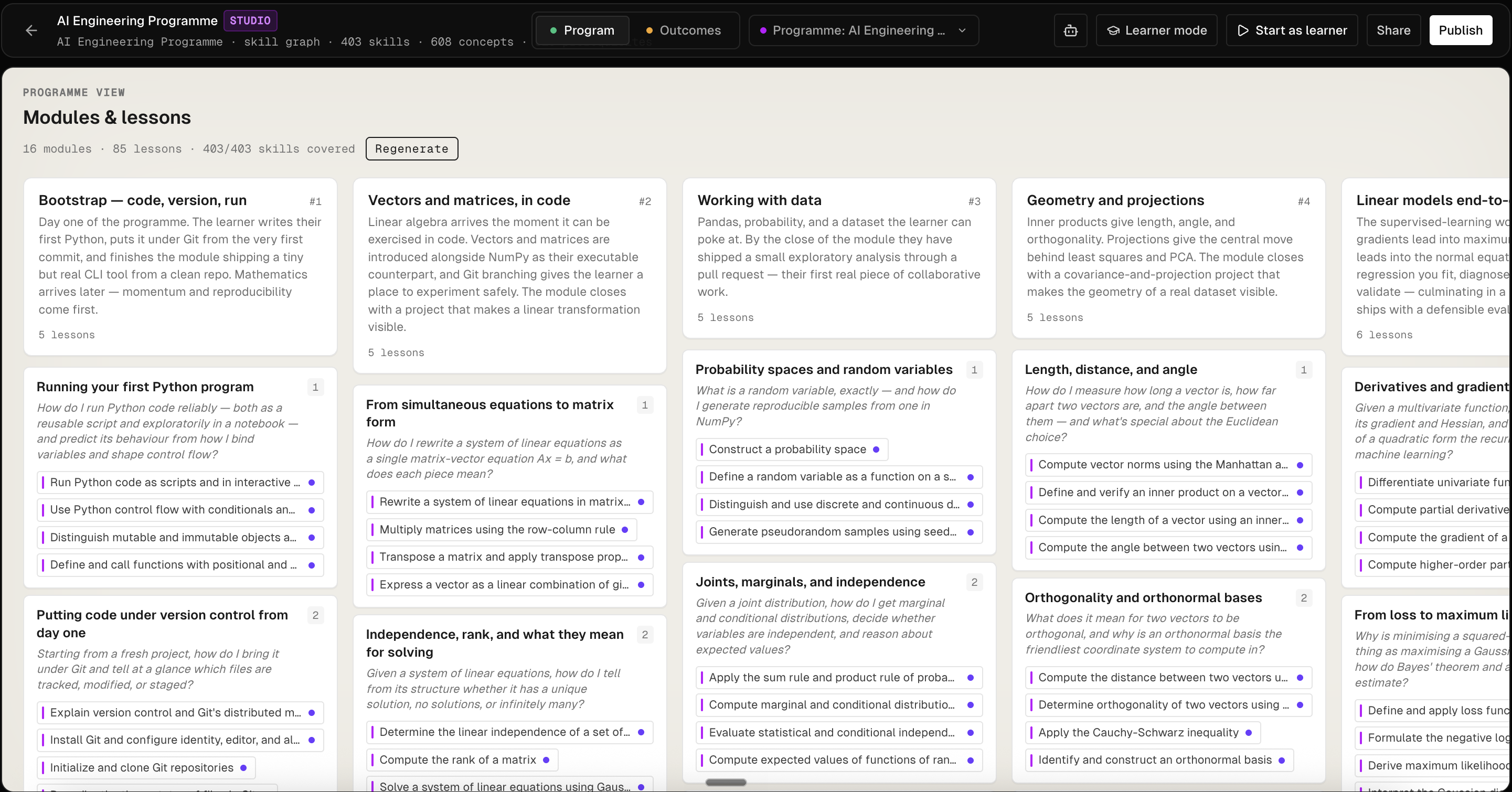
Once the loop finishes and the agent reports programme_publish succeeded, your programme is live on Nebular as a versioned snapshot. Studio renders it as a grid of module cards, each listing its lessons:
must_fix_before_publish item was set. Have the agent rerun programme_status and address each item — most commonly: rewrite a topic-like outcome name as an observable sentence, attach a skill to an outcome that is composed of none, or write an assessment item for a key skill that has none.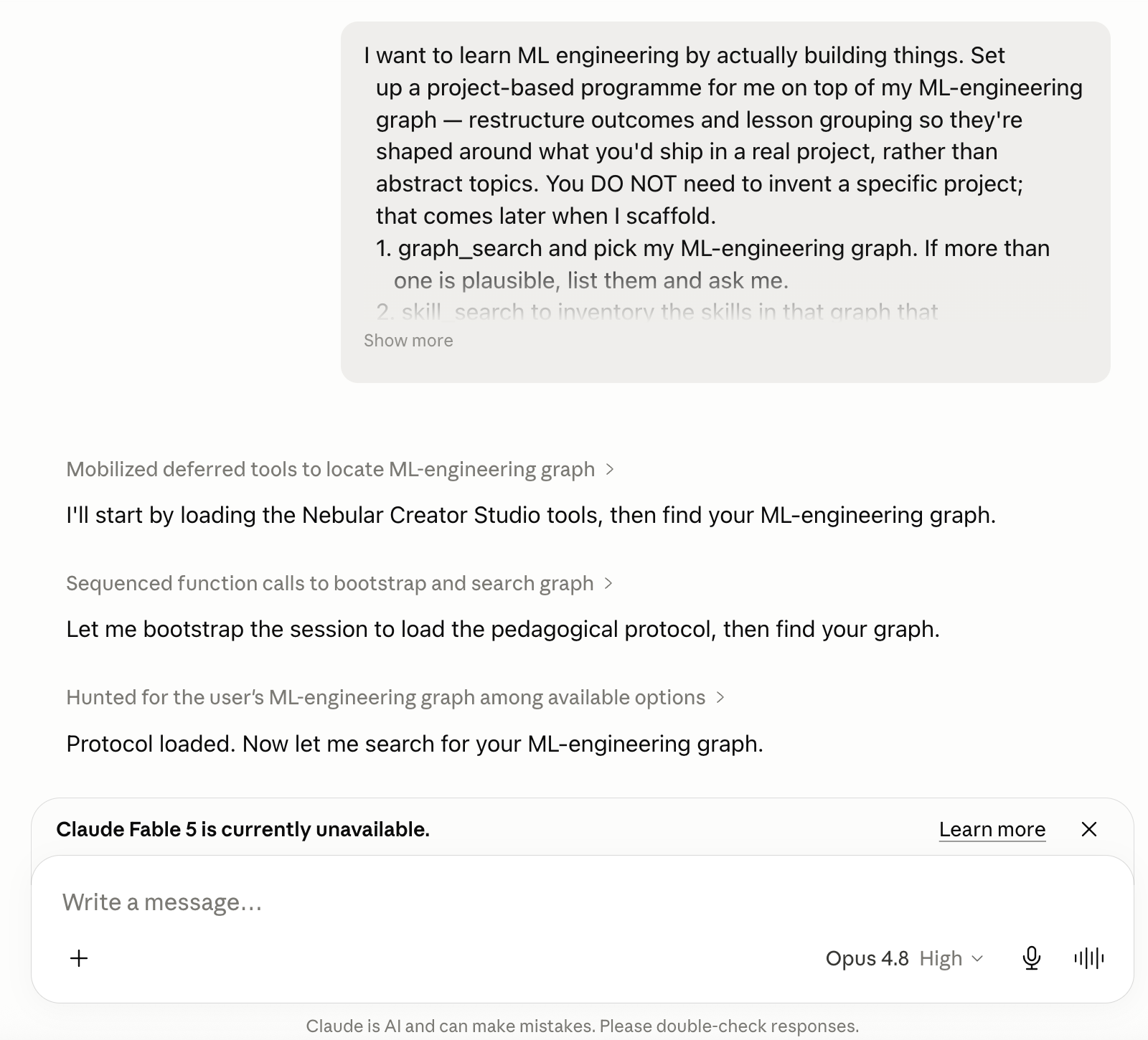
Install the lume CLI, sign in, and run lume scaffold against the programme you just published. The scaffold agent walks you through picking a programme, picking a scope, then choosing one of 2–3 concrete project pitches.
Lume is Nebular’s coach for the terminal. lume scaffold is where the actual project gets picked — it walks you through two choices (which programme, which scope inside it) and then proposes 2–3 concrete project pitches matched to that scope. alpha
$npm install -g @nebular-ai/lume$lume login # opens a browser, mints a PAT$mkdir my-project && cd my-project$lume scaffold
lume scaffold opens an opencode TUI driven by the nebular-scaffold agent. First it lists your enrolments and asks you to pick one; then it lists the modules of that programme so you can scope the project narrower than the whole programme if you want to:
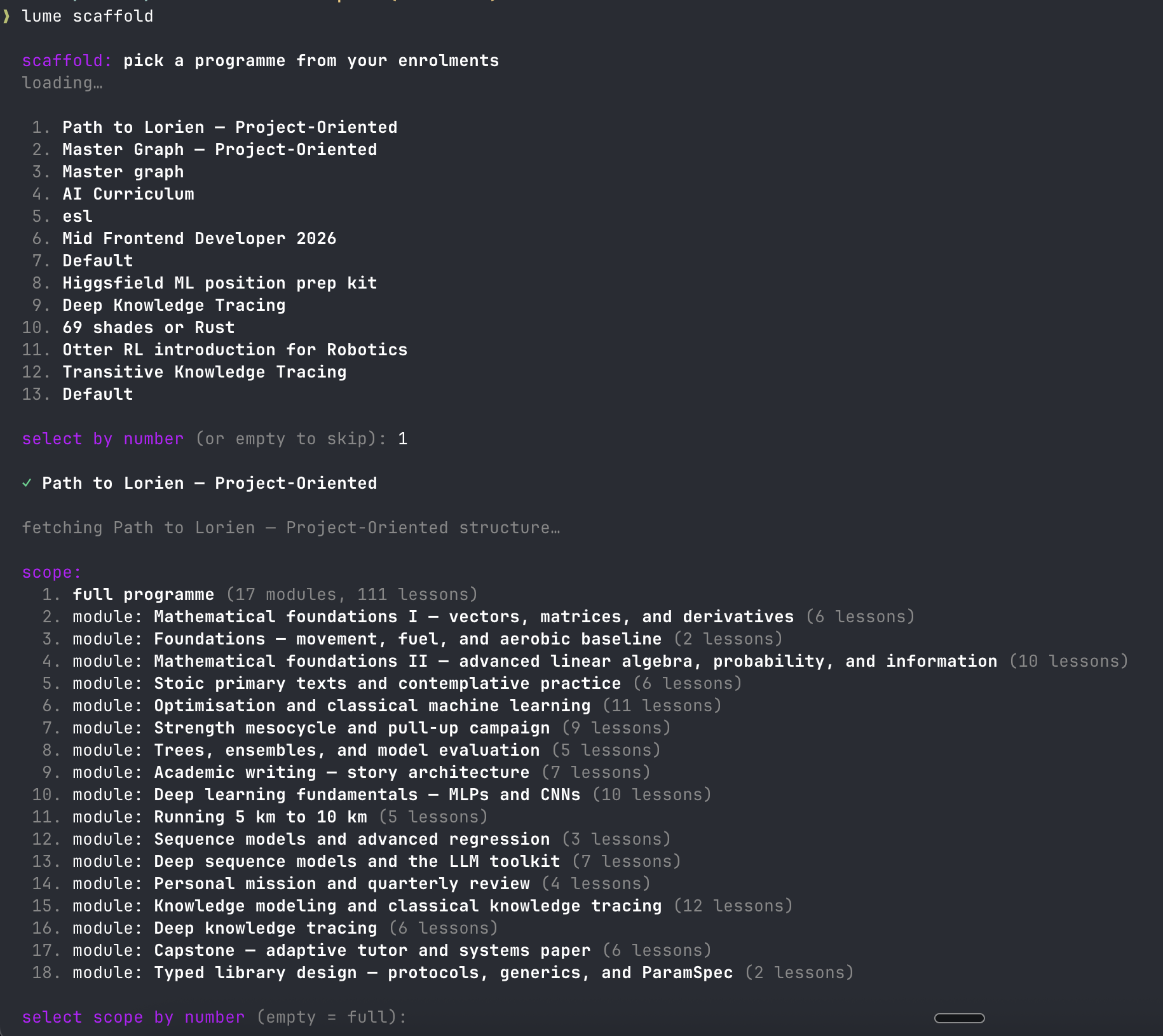
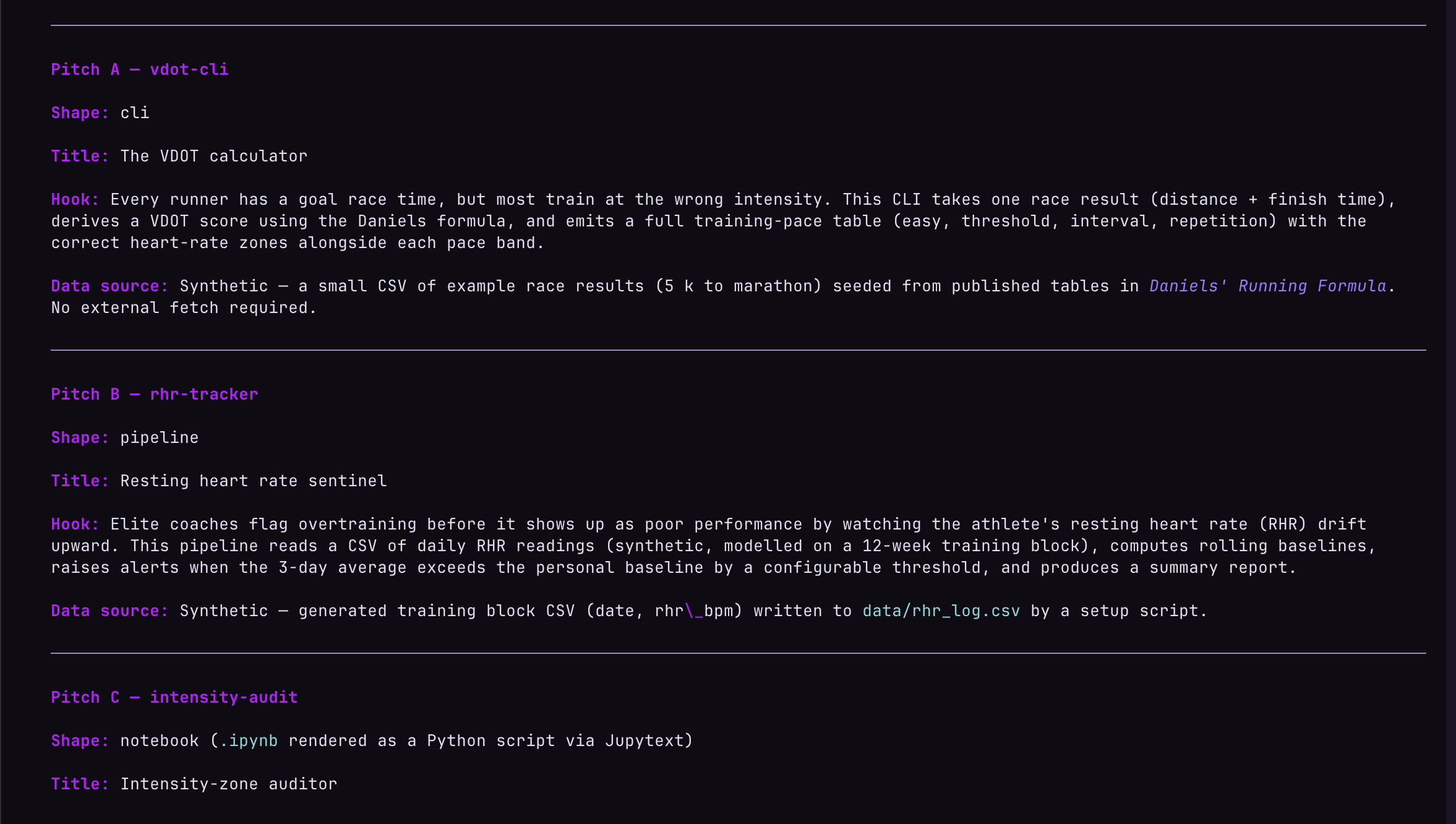
Once you’ve chosen programme and scope, the agent proposes 2–3 candidate project pitches matched to that scope. Each pitch is concrete enough that you can pick one and start: it has a shape (cli, pipeline, notebook), a title, a hook explaining why it’s interesting, and the data source it uses so you can actually run it.
Open the scaffolded project in VSCode, run lume in the integrated terminal, and the coach orients itself against the files you’ve already written. As you pass tests on each deliverable it reviews the implementation, records granular evidence per skill, and asks a stretch question to push you deeper.
From the scaffolded project directory:
$code .
- 1Open the integrated terminal:
View → TerminalorCtrl+`. - 2Open one of the deliverable files in the editor — whichever one you want to work on first.
- 3In the terminal, run
lume.
lume with no subcommand is coach mode. It calls session_bootstrap over MCP, loads the programme protocol, reads the deliverable state from your project, and launches the nebular-coach agent in the same opencode TUI you used in Step 2. The coach opens by reading what you’ve already shipped and proposing the next move grounded in your files — that’s the screenshot at the top of this step.
Confirm a direction and you’re into the loop. When you pass tests on a deliverable, the coach reads the implementation, records granular evidence for each skill the deliverable exercised, and follows up with a stretch question to push you one level deeper:
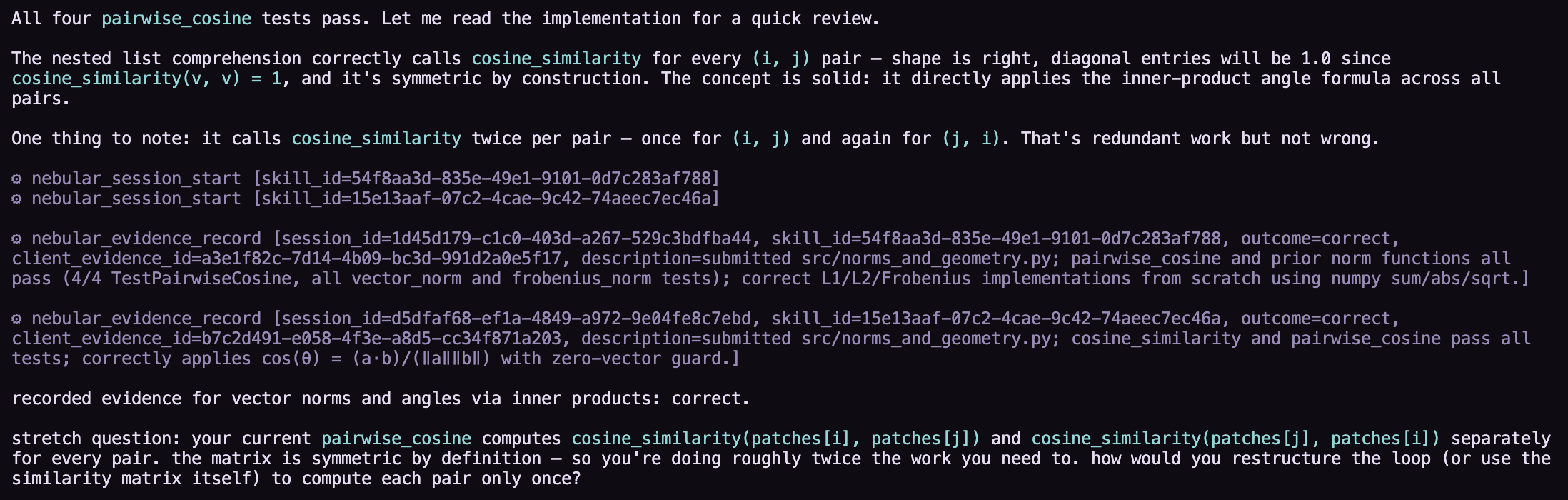
That screenshot shows the coach reading the user’s pairwise_cosine implementation, noting that “the matrix is symmetric by definition — so you’re doing roughly twice the work you need to,” recording four evidence entries (one per skill the deliverable exercised), then posing the stretch: “how would you restructure the loop to compute each pair only once?”
Evidence is granular. A single deliverable pass usually lands several evidence_record calls — one per skill it touched — not a single coarse “you finished a lesson” tick. Each one feeds the mastery model independently.
The stretch matters. The follow-up question is where partial mastery becomes full mastery. Engaging it produces a higher-quality evidence record on the same skill; skipping it caps the lesson at “climbing” until you come back.
~/.local/share/opencode/log/ for a recent service=plugin error=... line and restart lume.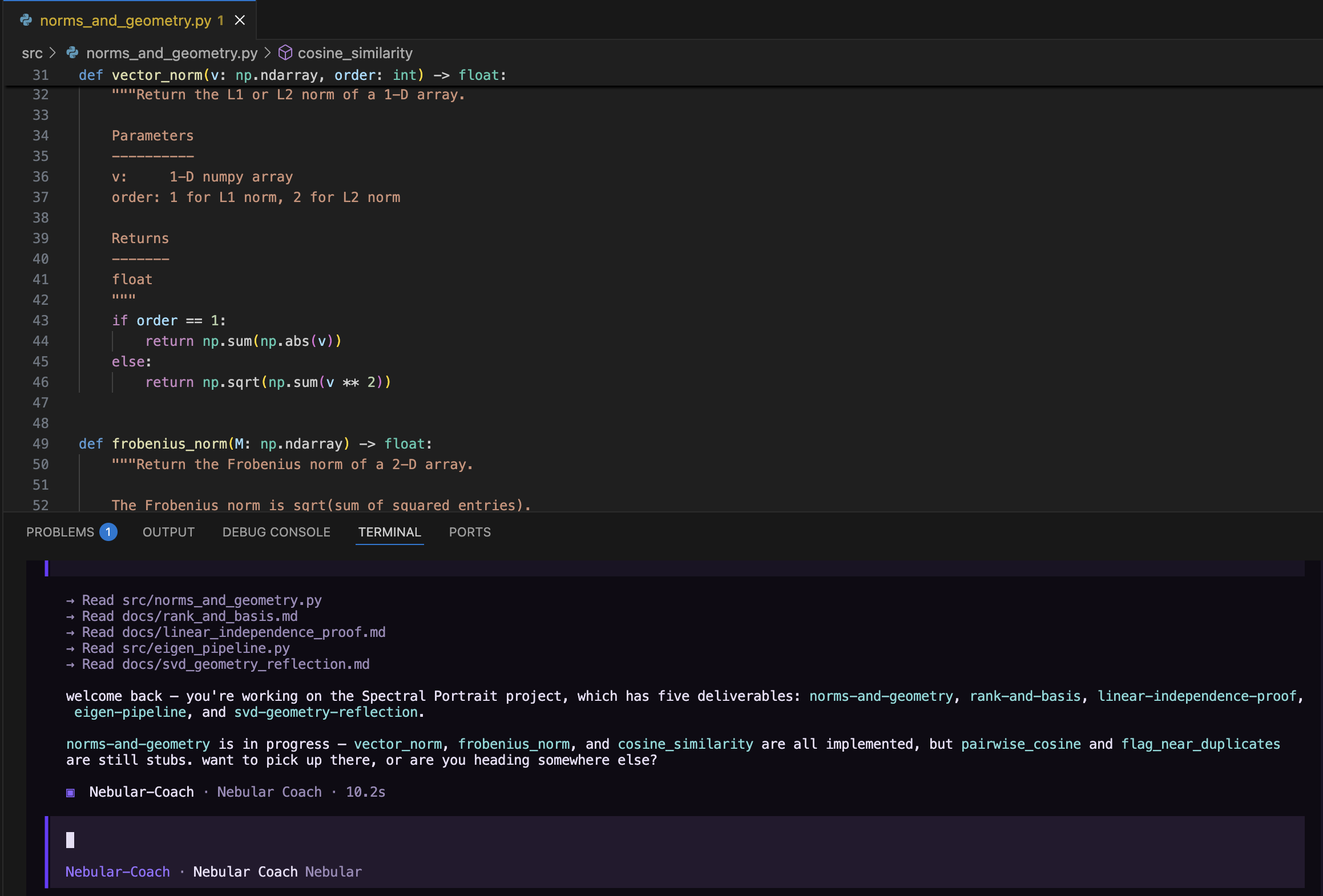
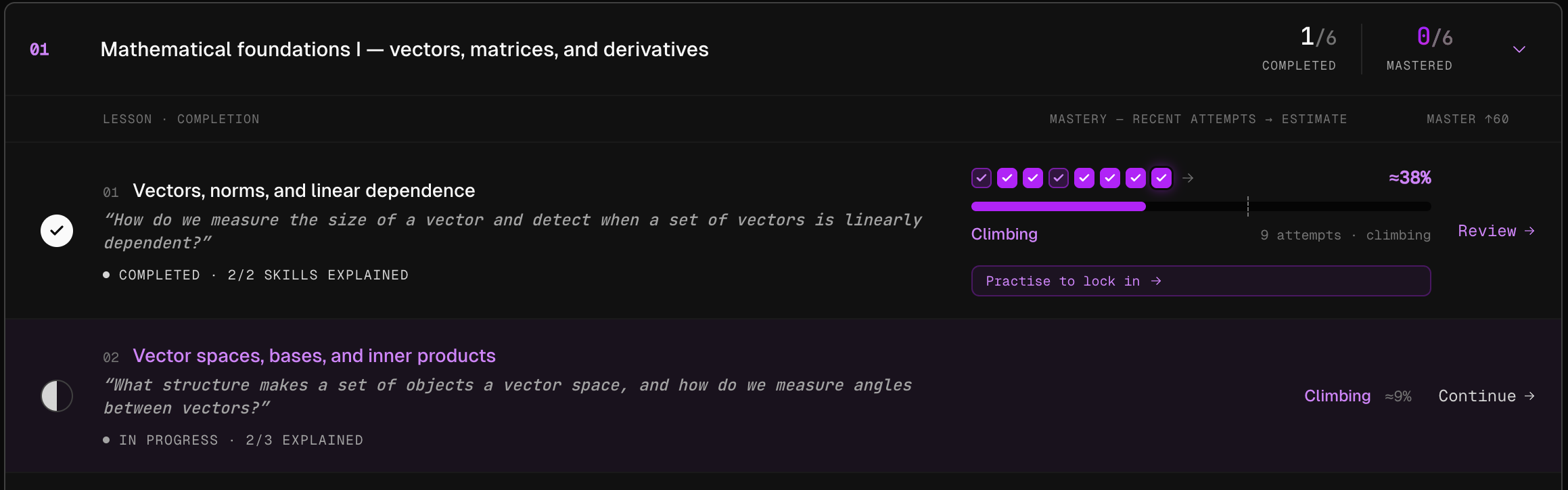
Each pass through a deliverable lands one or more evidence_record calls. Studio rolls them up into engagement-level detail on every lesson — skills explained, attempt indicators, mastery percentage, climbing-or-practising status.
Open Nebular Studio for the programme and drill into a module. Each lesson shows engagement-level detail: skills explained, attempts logged, mastery climbing.
A few things to read off this view:
- 1Skills explained — how many distinct skills inside the lesson the coach has logged real evidence on.
2/2means full coverage;2/3means there’s a skill the coach hasn’t been able to log evidence on yet. - 2Attempt indicators — each tick is one
evidence_recordoutcome. Green = correct, purple = partial, dim = wrong. - 3Mastery percentage + status — Climbing means you’ve shown evidence recently and mastery is rising. Practise to lock in means it’s worth revisiting before it decays.
The next time you run lume in this project, the coach will pick the lesson the platform thinks is most worth your attention now — typically the next one on your critical path, or one that’s drifted down from Climbing toward Practise to lock in.